
Compress images to any size
Adjust quality and output format to reduce image size. For specific KB limits on government portals and job forms, use the dedicated target-size tools.
50KB100KB200KB500KB
Compress, crop, resize, watermark, and convert images. JPEG, PNG, WebP, AVIF, HEIC and more. GPS and EXIF metadata stripped automatically.
Drop images here or click to browse
JPEG, PNG, WebP, AVIF, HEIC, JXL, GIF, TIFF, BMP, SVG supported
Paste from clipboard (Ctrl+V) or drag from any folder
Choose images or a folder. Files load progressively, and completed results stay available if you cancel compression.
SVG files are converted to pixels here. To keep vector graphics, use SVG Optimizer. For animated GIFs, use Compress GIF. Read our Privacy Policy for site privacy details.
Popular & Featured Tools
Open proven favorites or try the new background remover.
GIF Editor
Crop, trim and caption animated GIFs
AVIF Compressor
AVIF quality, KB targets and batch downloads
Remove Image Background
Create a transparent cutout in your browser
Resize to 1024x1024
Make an exact square image without distortion
Resize Image
Change width and height in pixels
Compress Image to 5MB
Reduce an image to a 5MB target
Compress Image to 1MB
Meet common upload size limits
Resize for WhatsApp
Prepare profile, status and chat images
Contact Sheet Generator
Arrange several images in one sheet
Adjust Image
Tune color, light and sharpness
Resize to 2048x2048
Create a large square image in exact pixels
Crop Image
Crop to a ratio or exact pixel size
Compress Image to 2MB
Reduce an image to a 2MB target
Image Color Picker
Find HEX, RGB and HSL colors
What you can do
No sign-up. No uploads. Private by design.
Adjust quality and output format to reduce image size. For specific KB limits on government portals and job forms, use the dedicated target-size tools.
Import JPEG, PNG, WebP, AVIF, HEIC and other supported images. Export JPEG, PNG, WebP, AVIF or JPEG XL. Choose a folder for batch processing; practical capacity depends on device memory.
Combine multiple images into one PDF, or extract pages as PNG, JPG and WebP. Transparency handled. No watermarks.
One-click presets for Instagram, YouTube, Twitter and more. Portrait, square, story and reel sizes. No distortion, no white bars.
Exact Size Targets
Meet portal upload limits or reduce file size for job applications and government forms. All processing stays in your browser.
Full Feature Set
Fast, private, and browser-based. No account required.
Optimize images using MozJPEG, OxiPNG, libwebp, libavif and JPEG XL. Savings depend on the original file and settings. Choose format and quality per image or apply to all at once.
Add text or logo watermarks with custom font, size, opacity, position, rotation and tile repeat. Batch watermark images and download as ZIP.
Fine-tune exposure and colour with a live preview. Adjust a single image or batch-apply to all images simultaneously.
Resize to exact pixel dimensions or scale by percentage. Batch resize all images to a max width with automatic aspect ratio preservation.
Crop with free, 1:1, 4:5, 16:9 and 9:16 aspect ratio presets. Large touch targets make precise cropping easy on mobile.
Choose images or a folder and see files load progressively. Stop loading, cancel or resume compression, and retry failed images. Download completed results as ZIP or individually.
Compare original and edited image side by side at any time. Undo and redo every transform including crop, resize, watermark and adjustments.
See embedded camera model, date taken and GPS presence before export. All metadata removed during compression.
Convert supported inputs, including HEIC, to JPEG, PNG, WebP, AVIF or JPEG XL. HEIC is an input format. All processing happens in your browser.
Format Converters
Every tool runs in your browser. Nothing is uploaded.
Add Watermark to Image
Text or logo watermarks. Custom opacity, position, rotation, tile repeat. Batch watermark images. No uploads.
Adjust Image
Brightness, contrast, saturation, hue, temperature, sharpen and more. No uploads.
Crop Image
Crop, rotate, flip, straighten. Social presets for Instagram, YouTube and more. No uploads.
Image Metadata Viewer
View EXIF data, GPS location, camera info. Remove metadata with one click. No uploads.
Image Color Picker
Extract dominant colors. HEX, RGB, HSL codes. Copy to clipboard. No uploads.
SVG to PNG
Convert SVG to PNG at 1x to 4x scale. Transparency preserved. No uploads.
Resize Image
Resize to any pixel dimensions. No white space, no distortion. No uploads.
Resize for Instagram
Portrait, square, story, reel. All Instagram sizes in one place.
Resize for WhatsApp
Profile 800×800, Status 1080×1920, Sticker 512×512. All WhatsApp sizes.
Resize for Email
Hero 600×200, body 600×400, retina 1200×628. Safe for all email clients.
Resize for Website
Hero 1920×1080, blog/OG 1200×630, content 800×600. Correct sizes for every page element.
Resize for Shopify
Product 2048×2048, hero 1920×1080, collection 1024×1024. All Shopify image sizes.
Resize for Amazon
Main product 2000x2000, A+ banner 970x600. Compliant with Amazon image rules.
Resize for Etsy
Listing photo 3000x2250, square 2000x2000, shop banner 1600x400.
HEIC to JPG
Convert iPhone HEIC photos to JPG. No uploads.
JPG to PNG
Lossless conversion. Pixel-perfect PNG with OxiPNG maximum compression. No uploads.
HEIC to PDF
Convert iPhone HEIC photos to PDF. No uploads, no watermarks.
AVIF to PDF
Convert AVIF images to PDF in your browser. No uploads.
HEIC to PNG
Lossless HEIC conversion. Transparency preserved. No uploads.
HEIC to WebP
Convert iPhone photos to WebP. Smaller than PNG. No uploads.
JPG to WebP
25 to 34% smaller than JPEG. Faster web pages.
AVIF to JPG
Convert AVIF to JPEG. Works in every application.
AVIF to WebP
Better compatibility than AVIF. 97% browser support.
WebP to AVIF
Up to 20% smaller than WebP. Better compression.
JPG to AVIF
Up to 50% smaller than JPEG. Best compression.
Images to PDF
Combine multiple images into one PDF.
PNG to PDF
Convert PNG images to PDF. Transparency handled. No uploads.
JPG to PDF
Convert JPEG photos to PDF. No uploads, no watermarks, no size limits.
WebP to PDF
Convert WebP images to PDF in your browser. No uploads.
PNG to ICO
Create favicon.ico from any PNG. Multi-size package with HTML snippet. No uploads.
JPG to ICO
Create favicon.ico from any JPEG. Multi-size package with HTML snippet. No uploads.
ICO to PNG
Extract PNG images from any ICO or favicon file. No uploads.
All tools
Browse the full list of free image tools.
Why it matters
Compressing images improves website speed, boosts SEO rankings, and reduces page load time.
Smaller images reduce page weight and improve Core Web Vitals scores.
Google rewards fast-loading pages. Optimised images are one of the highest-impact improvements.
Government portals, job applications and university forms require images under 50KB or 100KB. Compress to exact size
GPS, EXIF and camera data removed during compression. iPhone user? Convert HEIC to JPG
From the Blog
Image formats, compression, SEO and platform-specific sizing, written in plain English.
We uploaded the same three 12 megapixel photos to Facebook and X and measured what came back. Pixel count, bits per pixel and metadata all changed, in three separate steps. Here is what happened and how to upload so photos survive better.
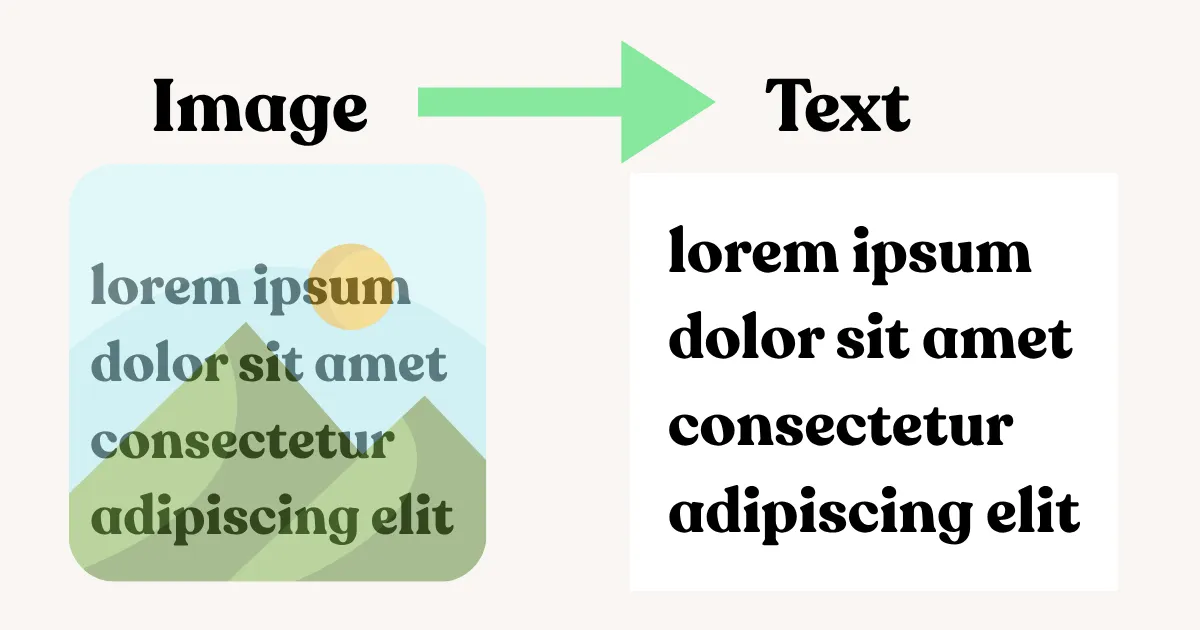
OCR turns the letter shapes in an image into editable text, but accuracy depends almost entirely on the source image. Here is how resolution, skew, contrast and layout settings actually affect the result, and how to extract text from a screenshot in your browser with nothing uploaded.
Reducing pixel dimensions removes data rather than inventing it, so it should not cost quality. Here is why downscaled images actually look soft, the resampling algorithm that matters, and the one ordering mistake that compounds artifacts every time.
A PNG is large for one of five specific reasons, wrong color depth, complex transparency, oversized dimensions, an unoptimized export, or a photo that should never have been a PNG. Here is how to tell which one applies to your file and fix it.
FAQ
Savings depend on the source image, output format and quality settings. Some images are already optimized, and conversion can produce larger files. Compare the result before downloading. For strict size targets, use the dedicated target-size tools.
Yes. ImgTweak has dedicated tools for 20KB, 50KB, 100KB, 200KB, 500KB and 1MB. There are also under-limit tools (under 50KB, under 100KB) for portal submissions. These are commonly required by government portals, job application systems and university forms.
The homepage accepts JPEG, PNG, WebP, AVIF, JPEG XL, HEIC, GIF, TIFF, BMP and SVG. It exports JPEG, PNG, WebP, AVIF or JPEG XL; HEIC is input only. SVG input is rasterized for conversion. Use SVG Optimizer to reduce SVG code while preserving vectors, and Compress GIF for animated GIF compression.
Yes. Use the HEIC to PNG tool for lossless conversion with full transparency, or HEIC to WebP for smaller files than PNG. Both run entirely in your browser with no uploads required.
Yes. Select images, drop files or choose a folder. The workspace opens while files load progressively. Use Stop loading to skip remaining files, Cancel compression to pause unfinished work, Resume compression to continue, and Retry for failed images. Completed results are kept. Processing uses one or two compression jobs at a time depending on the device. Download completed images individually or as a ZIP.
The homepage does not impose an arbitrary file-size or image-count limit. Large files and batches show warnings, but device memory and browser decoding capabilities still limit what can be processed. For very large folders, use smaller batches and download completed results regularly.
Image editing and compression happen locally in your browser. Your selected images are not sent to an image-processing server. Site analytics and advertising are separate from image processing; see the Privacy Policy for details.
Yes, 100% free with no hidden costs, no watermarks on exported images, and no feature limits. All processing runs in your browser so there are no server costs to pass on.
No sign-up. No uploads. Just drop your images and download optimised files in seconds.